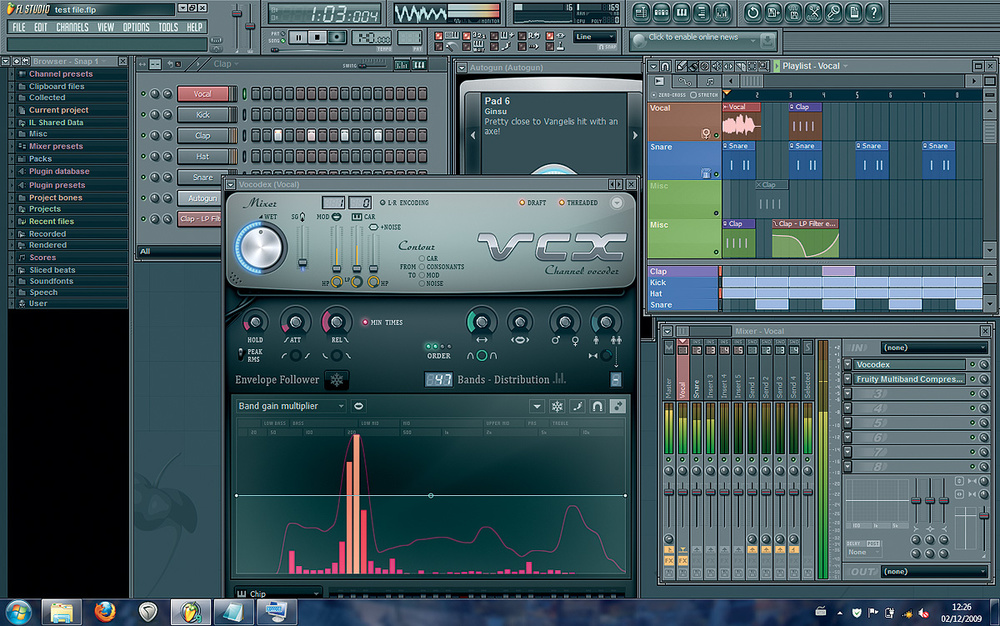
دي منصة صواريخ فعلا ......

و لتنفيذ مثلها تحتاج الي مجهود غير عادي من مبرمجين و متخصصين ف برامج الجرافكس لكن للاسف انا اعمل وحدي

و تنفيذ مثل تلك الواجهة يحتاج الي وقت طويل للاسف يا اخي الفاضل
لكن و علي كل حال إن الله لا يضيع أجر اي إنسان مثابر ....... و لو محتاج تصمم منصة صواريخ مثلها
او واجهات مشابهة فأنا استطيع أن أمد لك يد العون في ذلك قيما يختص ب الجرافكس و الرسومات تحديدا
لكننا قد نحتاج أيضا الي شخص يجيد استخدام برنامج الفوتو شوب و لديه ذوق جيد في اختيار الألوان
الأخ أسامة
حاول تضيف الأدوات برمجيا و لنري ماذا سيحدث او عليك ان تقوم بتوريث هذا الفورم الي فورم أخر ثم تضيف له االأدول في مرحلة Design
الأخ أسامة
الكود التالي يوضح لك كيفية اضافة ادوات علي الفورم برمجيا و عليك تستخدم نفس الأسلوب و تضيف اي كونترول اخري لبرنامجك مع الوضع ف الاعتبار ان لا تنسي بأن تقوم بعمل Dispose لأي كونترول تضيفه الي الفورم
و أيضا عليك ضبط أماكن الكونترول بما يتناسب مع أبعاد الفورم لأن الفورم الأن لن تتغير ابعاده خاصة أننا لا نقوم بتحريكه
كود :
Public Class ShapedForm

    Inherits Form


    Private closeButton As Button


    Public Sub New()

        MyBase.FormBorderStyle = Windows.Forms.FormBorderStyle.None

        MyBase.StartPosition = FormStartPosition.CenterScreen

        Dim sourceBitmap As Bitmap = My.Resources.earth

        Dim pixelColor As Color = sourceBitmap.GetPixel(0, 0)

        Dim bmp As Bitmap = SetBitmapBackColor(sourceBitmap.Clone, pixelColor, SystemColors.Control)

        GetImageRegion(bmp)

        Me.BackgroundImage = bmp

        Me.BackgroundImageLayout = ImageLayout.Center

        MyBase.Size = New Size(bmp.Width, bmp.Height)


        ' add the close button & do not forget to dispose the button

        closeButton = New Button

        closeButton.Text = "Exit"

        closeButton.Location = New System.Drawing.Point(200, 200)

        AddHandler closeButton.Click, AddressOf closeButton_Click

        Me.Controls.Add(closeButton)


    End Sub


    Private Function ImageToRegion(source As Bitmap, colorBack As Color) As Region

        Dim clr As Color = Color.FromArgb(colorBack.R, colorBack.G, colorBack.B)

        Dim rgn As Region = New Region()

        rgn.MakeEmpty()

        Dim rect As New Rectangle(0, 0, 0, 0)

        Dim flag As Boolean = False

        For y As Integer = 0 To source.Height - 1

            For x As Integer = 0 To source.Width - 1

                If Not flag Then

                    If source.GetPixel(x, y) <> clr Then

                        flag = True

                        rect.X = x

                        rect.Y = y

                        rect.Height = 1

                    End If

                Else

                    If source.GetPixel(x, y) = clr Then

                        flag = False

                        rect.Width = x - rect.X

                        rgn.Union(rect)

                    End If

                End If

            Next

            If flag Then

                flag = False

                rect.Width = source.Width - rect.X

                rgn.Union(rect)

            End If

        Next

        Return rgn

    End Function


    Private Sub GetImageRegion(img As Bitmap)

        Dim bmp As Bitmap = img

        Dim rgn As Region = ImageToRegion(bmp, SystemColors.Control)

        Me.Region = rgn

    End Sub


    Private Function SetBitmapBackColor(source As Bitmap, sourceColor As Color, destinationColor As Color) As Bitmap


        Dim result As System.Drawing.Bitmap = CType(Nothing, Bitmap)

        Try

            Dim bmp As Bitmap = CType(source.Clone(), Bitmap)

            Dim rect As Rectangle = New Rectangle(0, 0, bmp.Width, bmp.Height)

            Dim bmpData As Imaging.BitmapData = bmp.LockBits(rect, Imaging.ImageLockMode.ReadWrite, Imaging.PixelFormat.Format32bppArgb)


            ' Get the address of the first line.

            Dim ptr As IntPtr = bmpData.Scan0


            Dim length As Integer = Math.Abs(bmpData.Stride) * bmpData.Height

            Dim outputBytes = New Byte(length - 1) {}


            '  Copy the RGB values into the array.

            System.Runtime.InteropServices.Marshal.Copy(bmpData.Scan0, outputBytes, 0, length)

            Dim bpp = bmpData.Stride \ bmpData.Width


            Dim i = 0

            While i < length

                Dim clr As Color = Color.FromArgb(If(bpp = 4, outputBytes(i + 3), 255), outputBytes(i + 2), outputBytes(i + 1), outputBytes(i))

                If clr = sourceColor Then

                    If bpp = 4 Then

                        outputBytes(i + 3) = destinationColor.A

                    End If

                    outputBytes(i + 2) = destinationColor.R

                    outputBytes(i + 1) = destinationColor.G

                    outputBytes(i) = destinationColor.B

                End If

                i += bpp

            End While

            ' Copy the RGB values back to the bitmap

            System.Runtime.InteropServices.Marshal.Copy(outputBytes, 0, ptr, length)

            bmp.UnlockBits(bmpData)

            result = bmp

        Catch ex As Exception

            result = source

        End Try

        Return result

    End Function


    Private Sub closeButton_Click(sender As Object, e As EventArgs)

        Application.Exit()

    End Sub


End Class
الكود التالي يوضح لك كيفية عمل dispose للكونترول الذي قمنا بإضافته
عليك ان تضيفه الي الفورم أعلاه
كود :
   Private Sub DisposeObjects()

        If Me.closeButton IsNot Nothing Then

            RemoveHandler closeButton.Click, AddressOf closeButton_Click

            closeButton.Dispose()

            closeButton = Nothing

        End If

    End Sub


    Protected Overrides Sub Dispose(disposing As Boolean)

        DisposeObjects()

        MyBase.Dispose(disposing)

    End Sub
بالتوفيق ان شاء الله

 ]
] بل واجهة تفاعلية 100%
