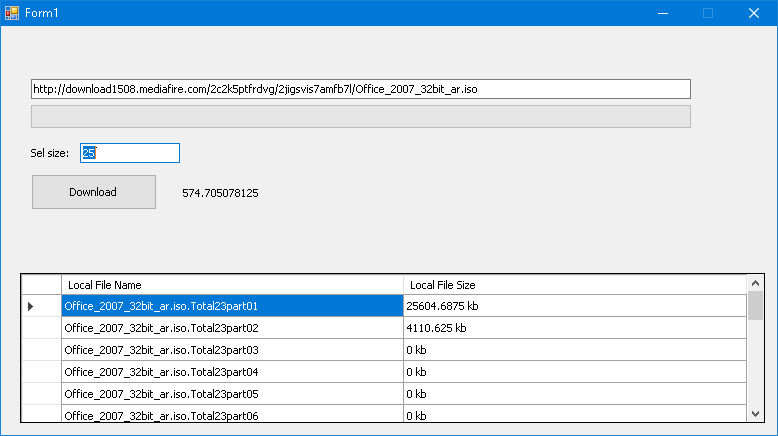
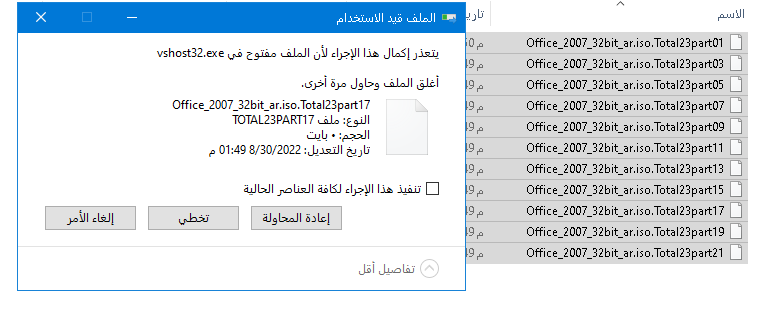
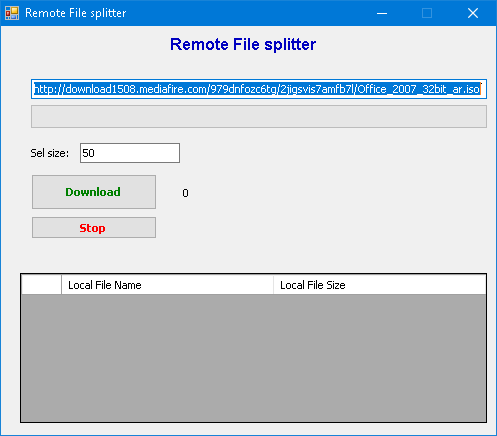
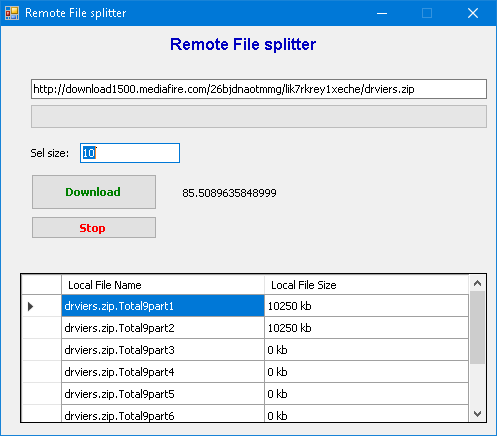
وبالنسبة لتطبيق نفس فكرة برنامج idm اعتقد ان اصعب شي فيه هو استخراج رابط التحميل من المتصفح
وعمل Extension للبرنامج . اما الامور الاخرى فليست بتلك الصعوبة لكن تطبيق الفكرة عمل يستهلك وقت كثير وجهد.
لذا لعمل برنامج مشابه تحتاج الى طريقة عمل Extension للبرنامج الا اذا يمكن استخراج روابط التحميل من دونه
اما لتقسيم الملف المراد تحميله فعند التقاط رابط عادة يكون هناك معلومات في الـHeader تحتوي اسم الملف وحجمة وقابلية الاستكمال
بعد معرفة حجم الملف يمكنك ان تقوم بالتحميل ابتداء من اي بايت باستخدام IO.FileStream.Seek
يعني اذا قمت بتحميل ملف فيه امكانية الاستكمال ثم قررت ايقاف التحميل ثم عدت لاستكمال التحميل
مايحدث انه في الكود الذي يتم تنفيذه توجد الوضيفة Seek والتي تمرر لها البايت الذي تريد ان تبدأ التحميل منه
فتمرر لها 0 لكي تبدا التحميل من بداية الملف او تمرر لها حجم الملف غير المكتمل والموجود في جهازك لتبدأ مباشرة بالتحميل
اذن يمكنك ان تقوم بتقسيم التحميل بناء على حجم الملف حيث الجزء الاول يمرر للوضيفة Seek موقع بداية التحميل وهو 0 بايت
والجزء الثاني يمرر للوضيفة Seek خمسة ميجابايت مثلا لتبدا التحميل وهكذا....
اخيرا سارفق لك كلاس وجدته في النت مخصص للتحميل والاستكمال مع اضهار السرعة والوقت المتبقي وغيرها من الخصائص
كود :
Imports System.IO
Imports System.Net
Imports System.Threading
'// This is the main download class.
Public Class DownloadFileAsyncExtended
Private _LocalFilePath As String = String.Empty
WriteOnly Property localFile As String
Set(value As String)
_LocalFilePath = value
End Set
End Property
Private _URL As String = String.Empty
WriteOnly Property url As String
Set(value As String)
_URL = value
End Set
End Property
#Region "Methods"
Public FileName As String = ""
Private _userToken As Object = Nothing
Private _ContentLenght As Long = 0
Private _TotalBytesReceived As Integer = 0
'// Start the asynchronous download.
Public Sub DownloadFileAsync(ByVal URL As String, ByVal LocalFilePath As String, ByVal userToken As Object)
Dim Request As HttpWebRequest
Dim fileURI As New Uri(URL) '// Will throw exception if empty or random string.
'// Make sure it's a valid http:// or https:// url.
If fileURI.Scheme <> Uri.UriSchemeHttp And fileURI.Scheme <> Uri.UriSchemeHttps Then
Throw New Exception("Invalid URL. Must be http:// or https://")
End If
'// Save this to private variables in case we need to resume.
_URL = URL
_LocalFilePath = LocalFilePath
_userToken = userToken
'// Create the request.
Request = CType(HttpWebRequest.Create(New Uri(URL)), HttpWebRequest)
Request.Credentials = Credentials
Request.AllowAutoRedirect = True
Request.ReadWriteTimeout = 30000
Request.Proxy = Proxy
Request.KeepAlive = False
Request.Headers = _Headers '// NOTE: Will throw exception if wrong headers supplied.
'// If we're resuming, then add the AddRange header.
If _ResumeAsync Then
Dim FileInfo As New FileInfo(LocalFilePath)
If FileInfo.Exists Then
If FileInfo.Length < My.Settings.TotalFileSize Then
_TotalBytesReceived = FileInfo.Length
_ContentLenght = FileInfo.Length
Request.AddRange(FileInfo.Length)
Else
FileInfo.Delete()
End If
End If
End If
'// Signal we're busy downloading
_isbusy = True
'// Make sure this is set to False or the download will stop immediately.
_CancelAsync = False
'// This is the data we're sending to the GetResponse Callback.
Dim State As New HttpWebRequestState(LocalFilePath, Request, _ResumeAsync, userToken)
'// Begin to get a response from the server.
Dim result As IAsyncResult = Request.BeginGetResponse(AddressOf GetResponse_Callback, State)
'// Add custom 30 second timeout for connecting.
'// The Timeout property is ignored when using the asynchronous BeginGetResponse.
ThreadPool.RegisterWaitForSingleObject(result.AsyncWaitHandle, New WaitOrTimerCallback(AddressOf TimeoutCallback), State, 30000, True)
End Sub
'// Here we receive the response from the server. We do not check for the "Accept-Ranges"
'// response header, in order to find out if the server supports resuming, because it MAY
'// send the "Accept-Ranges" response header, but is not required to do so. This is
'// unreliable, so we'll just continue and catch the exception that will occur if not
'// supported and send it the DownloadCompleted event. We also don't check if the
'// Content-Length is '-1', because some servers return '-1', eventhough the file/webpage
'// you're trying to download is valid. e.ProgressPercentage returns '-1' in that case.
Private Sub GetResponse_Callback(ByVal result As IAsyncResult)
Dim State As HttpWebRequestState = CType(result.AsyncState, HttpWebRequestState)
Dim DestinationStream As FileStream = Nothing
Dim Response As HttpWebResponse = Nothing
Dim Duration As New Stopwatch
Dim Buffer(8191) As Byte
Dim BytesRead As Integer = 0
Dim ElapsedSeconds As Integer = 0
Dim DownloadSpeed As Integer = 0
Dim DownloadProgress As Integer = 0
Dim BytesReceivedThisSession As Integer = 0
Try
''// Get response
Response = CType(State.Request.EndGetResponse(result), HttpWebResponse)
FileName = If(Response.Headers("Content-Disposition") IsNot Nothing, _
Response.Headers("Content-Disposition").Replace("attachment; filename=", "") _
.Replace("""", ""), If(Response.Headers("Location") IsNot Nothing, Path.GetFileName(Response.Headers("Location")) _
, If(Path.GetFileName(_URL).Contains("?"c) OrElse Path.GetFileName(_URL).Contains("="c) _
, Path.GetFileName(Response.ResponseUri.ToString()), "myFile")))
'// Asign Response headers to ReadOnly ResponseHeaders property.
_ResponseHeaders = Response.Headers
'// If the server does not reply with an 'OK (200)' message when starting
'// the download or a 'PartialContent (206)' message when resuming.
If Response.StatusCode <> HttpStatusCode.OK And Response.StatusCode <> HttpStatusCode.PartialContent Then
'// Send error message to anyone who is listening.
OnDownloadCompleted(New FileDownloadCompletedEventArgs(New Exception(Response.StatusCode), False, State.userToken))
Return
End If
'// Create/open the file to write to.
If State.ResumeDownload Then
'// If resumed, then create or open the file.
DestinationStream = New FileStream(State.LocalFilePath, FileMode.OpenOrCreate, FileAccess.Write)
_ContentLenght = Response.ContentLength + _TotalBytesReceived
Else
' store the total response.ContentLength in my.settings
My.Settings.TotalFileSize = Response.ContentLength
My.Settings.Save()
'// If not resumed, then create the file, which will delete the existing file if it already exists.
DestinationStream = New FileStream(State.LocalFilePath, FileMode.Create, FileAccess.Write)
'// Get the ContentLength only when we're starting the download. Not when resuming.
_ContentLenght = Response.ContentLength
End If
'// Moves stream position to beginning of the file when starting the download.
'// Moves stream position to end of the file when resuming the download.
DestinationStream.Seek(0, SeekOrigin.End)
'// Start timer to get download duration / download speed, etc.
Duration.Start()
'// Get the Response Stream.
Using responseStream As Stream = Response.GetResponseStream()
Do
'// Read some bytes.
BytesRead = responseStream.Read(Buffer, 0, Buffer.Length)
If BytesRead > 0 Then
'// Write incoming data to the file.
DestinationStream.Write(Buffer, 0, BytesRead)
'// Count the total number of bytes downloaded.
_TotalBytesReceived += BytesRead
'// Count the number of bytes downloaded this session (Resume).
BytesReceivedThisSession += BytesRead
'// Get number of elapsed seconds (need round number to prevent 'division by zero' error).
ElapsedSeconds = CInt(Duration.Elapsed.TotalSeconds)
'// Update frequency: No Delay, every Half a Second or every Second.
Select Case ProgressUpdateFrequency
Case UpdateFrequency.NoDelay
'// Calculate download speed in bytes per second.
If ElapsedSeconds > 0 Then
DownloadSpeed = (BytesReceivedThisSession \ ElapsedSeconds)
End If
'// Send download progress to anyone who is listening.
OnDownloadProgressChanged(New FileDownloadProgressChangedEventArgs(_TotalBytesReceived, _ContentLenght, ElapsedSeconds, DownloadSpeed, State.userToken))
Case UpdateFrequency.HalfSecond
If (Duration.ElapsedMilliseconds - DownloadProgress) >= 500 Then
DownloadProgress = Duration.ElapsedMilliseconds
'// Calculate download speed in bytes per second.
If ElapsedSeconds > 0 Then
DownloadSpeed = (BytesReceivedThisSession \ ElapsedSeconds)
End If
'// Send download progress to anyone who is listening.
OnDownloadProgressChanged(New FileDownloadProgressChangedEventArgs(_TotalBytesReceived, _ContentLenght, ElapsedSeconds, DownloadSpeed, State.userToken))
End If
Case UpdateFrequency.Second
If (Duration.ElapsedMilliseconds - DownloadProgress) >= 1000 Then
DownloadProgress = Duration.ElapsedMilliseconds
'// Calculate download speed in bytes per second.
If ElapsedSeconds > 0 Then
DownloadSpeed = (BytesReceivedThisSession \ ElapsedSeconds)
End If
'// Send download progress to anyone who is listening.
OnDownloadProgressChanged(New FileDownloadProgressChangedEventArgs(_TotalBytesReceived, _ContentLenght, ElapsedSeconds, DownloadSpeed, State.userToken))
End If
End Select
'// Exit loop when paused.
If _CancelAsync Then Exit Do
End If
Loop Until BytesRead = 0
End Using
'// Send download progress once more. If the UpdateFrequency has been set to
'// HalfSecond or Second, then the last percentage returned might be 98% or 99%.
'// This makes sure it's 100%.
OnDownloadProgressChanged(New FileDownloadProgressChangedEventArgs(_TotalBytesReceived, _ContentLenght, Duration.Elapsed.TotalSeconds, DownloadSpeed, State.userToken))
If _CancelAsync Then
'// Send completed message (Paused) to anyone who is listening.
OnDownloadCompleted(New FileDownloadCompletedEventArgs(Nothing, True, State.userToken))
Else
'// Send completed message (Finished) to anyone who is listening.
OnDownloadCompleted(New FileDownloadCompletedEventArgs(Nothing, False, State.userToken))
End If
Catch ex As Exception
'// Send completed message (Error) to anyone who is listening.
OnDownloadCompleted(New FileDownloadCompletedEventArgs(ex, False, State.userToken))
Finally
'// Close the file.
If DestinationStream IsNot Nothing Then
DestinationStream.Flush()
DestinationStream.Close()
DestinationStream = Nothing
End If
'// Stop and reset the duration timer.
Duration.Reset()
Duration = Nothing
'// Signal we're not downloading anymore.
_isbusy = False
End Try
End Sub
'// Here we will abort the download if it takes more than 30 seconds to connect, because
'// the Timeout property is ignored when using the asynchronous BeginGetResponse.
Private Sub TimeoutCallback(ByVal State As Object, ByVal TimedOut As Boolean)
If TimedOut Then
Dim RequestState As HttpWebRequestState = CType(State, HttpWebRequestState)
If RequestState IsNot Nothing Then
RequestState.Request.Abort()
End If
End If
End Sub
'// Cancel the asynchronous download.
Private _CancelAsync As Boolean = False
Public Sub CancelAsync()
_CancelAsync = True
End Sub
'// Resume the asynchronous download.
Private _ResumeAsync As Boolean = False
Public Sub ResumeAsync()
'// Throw exception if download is already in progress.
If _isbusy Then
Throw New Exception("Download is still busy. Use IsBusy property to check if download is already busy.")
End If
'// Throw exception if URL or LocalFilePath is empty, which means
'// the download wasn't even started yet with DowloadFileAsync.
If String.IsNullOrEmpty(_URL) AndAlso String.IsNullOrEmpty(_LocalFilePath) Then
Throw New Exception("Cannot resume a download which hasn't been started yet. Call DowloadFileAsync first.")
Else
'// Set _ResumeDownload to True, so we know we need to add
'// the Range header in order to resume the download.
_ResumeAsync = True
'// Restart (Resume) the download.
DownloadFileAsync(_URL, _LocalFilePath, _userToken)
End If
End Sub
#End Region
#Region "Properties"
Public Enum UpdateFrequency
NoDelay = 0
HalfSecond = 1
Second = 2
End Enum
'// Progress Update Frequency.
Public Property ProgressUpdateFrequency() As UpdateFrequency
'// Proxy.
Public Property Proxy() As IWebProxy
'// Credentials.
Public Property Credentials() As ICredentials
'// Headers.
Public Property Headers() As New WebHeaderCollection
'// Is download busy.
Private _isbusy As Boolean = False
Public ReadOnly Property IsBusy() As Boolean
Get
Return _isbusy
End Get
End Property
'// ResponseHeaders.
Private _ResponseHeaders As WebHeaderCollection = Nothing
Public ReadOnly Property ResponseHeaders() As WebHeaderCollection
Get
Return _ResponseHeaders
End Get
End Property
'// SynchronizingObject property to marshal events back to the UI thread.
Private _synchronizingObject As System.ComponentModel.ISynchronizeInvoke
Public Property SynchronizingObject() As System.ComponentModel.ISynchronizeInvoke
Get
Return Me._synchronizingObject
End Get
Set(ByVal value As System.ComponentModel.ISynchronizeInvoke)
Me._synchronizingObject = value
End Set
End Property
#End Region
#Region "Events"
Public Event DownloadProgressChanged As EventHandler(Of FileDownloadProgressChangedEventArgs)
Private Delegate Sub DownloadProgressChangedEventInvoker(ByVal e As FileDownloadProgressChangedEventArgs)
Protected Overridable Sub OnDownloadProgressChanged(ByVal e As FileDownloadProgressChangedEventArgs)
If Me.SynchronizingObject IsNot Nothing AndAlso Me.SynchronizingObject.InvokeRequired Then
'Marshal the call to the thread that owns the synchronizing object.
Me.SynchronizingObject.Invoke(New DownloadProgressChangedEventInvoker(AddressOf OnDownloadProgressChanged), _
New Object() {e})
Else
RaiseEvent DownloadProgressChanged(Me, e)
End If
End Sub
Public Event DownloadCompleted As EventHandler(Of FileDownloadCompletedEventArgs)
Private Delegate Sub DownloadCompletedEventInvoker(ByVal e As FileDownloadCompletedEventArgs)
Protected Overridable Sub OnDownloadCompleted(ByVal e As FileDownloadCompletedEventArgs)
If Me.SynchronizingObject IsNot Nothing AndAlso Me.SynchronizingObject.InvokeRequired Then
'Marshal the call to the thread that owns the synchronizing object.
Me.SynchronizingObject.Invoke(New DownloadCompletedEventInvoker(AddressOf OnDownloadCompleted), _
New Object() {e})
Else
RaiseEvent DownloadCompleted(Me, e)
End If
End Sub
#End Region
End Class
'// This class is passed as a parameter to the GetResponse Callback,
'// so we can work with the data in the Response Callback.
Public Class HttpWebRequestState
Private _LocalFilePath As String
Private _Request As HttpWebRequest
Private _ResumeDownload As Boolean
Private _userToken As Object
Public Sub New(ByVal LocalFilePath As String, ByVal Request As HttpWebRequest, ByVal ResumeDownload As Boolean, ByVal userToken As Object)
_LocalFilePath = LocalFilePath
_Request = Request
_ResumeDownload = ResumeDownload
_userToken = userToken
End Sub
Public ReadOnly Property LocalFilePath() As String
Get
Return _LocalFilePath
End Get
End Property
Public ReadOnly Property Request() As HttpWebRequest
Get
Return _Request
End Get
End Property
Public ReadOnly Property ResumeDownload() As Boolean
Get
Return _ResumeDownload
End Get
End Property
Public ReadOnly Property userToken() As Object
Get
Return _userToken
End Get
End Property
End Class
'// This is the data returned to the user for each download in the
'// Progress Changed event, so you can update controls with the progress.
Public Class FileDownloadProgressChangedEventArgs
Inherits System.EventArgs
Private _BytesReceived As Integer
Private _TotalBytesToReceive As Integer
Private _DownloadTime As Integer
Private _DownloadSpeed As Long
Private _userToken As Object
Public Sub New(ByVal BytesReceived As Integer, ByVal TotalBytesToReceive As Integer, ByVal DownloadTime As Integer, ByVal DownloadSpeed As Long, ByVal userToken As Object)
_BytesReceived = BytesReceived
_TotalBytesToReceive = TotalBytesToReceive
_DownloadTime = DownloadTime
_DownloadSpeed = DownloadSpeed
_userToken = userToken
End Sub
Public ReadOnly Property BytesReceived() As Integer
Get
Return _BytesReceived
End Get
End Property
Public ReadOnly Property TotalBytesToReceive() As Integer
Get
Return _TotalBytesToReceive
End Get
End Property
Public ReadOnly Property ProgressPercentage() As Integer
Get
If _TotalBytesToReceive > 0 Then
Return Math.Ceiling((_BytesReceived / _TotalBytesToReceive) * 100)
Else
Return -1
End If
End Get
End Property
Public ReadOnly Property DownloadTimeSeconds() As Integer
Get
Return _DownloadTime
End Get
End Property
Public ReadOnly Property RemainingTimeSeconds() As Integer
Get
If DownloadSpeedBytesPerSec > 0 Then
Return Math.Ceiling((_TotalBytesToReceive - _BytesReceived) / DownloadSpeedBytesPerSec)
Else
Return 0
End If
End Get
End Property
Public ReadOnly Property DownloadSpeedBytesPerSec() As Long
Get
Return _DownloadSpeed
End Get
End Property
Public ReadOnly Property userToken() As Object
Get
Return _userToken
End Get
End Property
End Class
'// This is the data returned to the user for each download in the
'// Download Completed event, so you can update controls with the result.
Public Class FileDownloadCompletedEventArgs
Inherits System.EventArgs
Private _ErrorMessage As Exception
Private _Cancelled As Boolean
Private _userToken As Object
Public Sub New(ByVal ErrorMessage As Exception, ByVal Cancelled As Boolean, ByVal userToken As Object)
_ErrorMessage = ErrorMessage
_Cancelled = Cancelled
_userToken = userToken
End Sub
Public ReadOnly Property ErrorMessage() As Exception
Get
Return _ErrorMessage
End Get
End Property
Public ReadOnly Property Cancelled() As Boolean
Get
Return _Cancelled
End Get
End Property
Public ReadOnly Property userToken() As Object
Get
Return _userToken
End Get
End Property
End Class