تقييم الموضوع :
  • 0 أصوات - بمعدل 0
  • 1
  • 2
  • 3
  • 4
  • 5
[نقاش] كود يعرض الأجهزة المتصلة بالراوتر
#1
السلام عليكم
بداية الموضوع لمعالجة مشكلة واجهتنى .. و ليس حاشا لله لأى أغراض ضارة ..
محتاج كود فجوال بيسيك .net
لعرض الجهزة المتصلة بالراوتر لدى الآن على النحو التالى .. كما يظهر الأمر بصفحة الراوتر :


Device Name  - Port ID - Device Info  - Device Status  -  Connection Duration -  Operations


منتظر ردكم
تقبلوا التحية

الرد }}}
تم الشكر بواسطة:
#2
وعليكم السلام ورحمة الله


جرب الكود التالي

كود :
Imports System
Imports System.Net

Public Class Form1

   Public Sub New()
       InitializeComponent()
   End Sub

   Private Sub Button1_Click(ByVal sender As Object, ByVal e As EventArgs) Handles Button1.Click
       ' Get the list of connected devices
       Dim devices As NetworkInterfaceCollection = NetworkInterface.GetAllNetworkInterfaces()

       ' Iterate through the list of devices
       Dim i As Integer
       For i = 0 To devices.Count - 1
           ' Display the name and IP address of each device
           Label1.Text = Label1.Text & devices(i).Name & " - " & devices(i).IPAddress & vbCrLf
       Next
   End Sub

End Class
الرد }}}
تم الشكر بواسطة: sabree
#3
أخى الفاضل
شكرا لك
لكن الكود به أخطاء لا سيما على


NetworkInterfaceCollection

و

NetworkInterface.

للاسف بحثت كثيرا حول : NetworkInterfaceCollection

و لم أجد لها وجود !!!!!!!!!!!!!!!!!!!!!!!!!!!!!!!!!
الرد }}}
تم الشكر بواسطة:
#4
من الواضح انها مكتبة غير موجودة بالفيجوال ستوديو وهي تتبع مكتبة تسمى Azure.net اعمل بحث بقوقل وستجدها بموقع مايكروسوفت
تقوم بثبيتها وسوف تعمل
كما يجب استيراد مجال الاسماء التالي
كود :
Imports System.Net.NetworkInformation
الرد }}}
تم الشكر بواسطة: sabree , emadtm
#5
كود :
Dim interfaceb As NetworkInterface

For Each interfaceb In NetworkInterface.GetAllNetworkInterfaces()

    ' Print the interface name and InterfaceType.
    Label1.Text = interfaceb.Name & " " & interfaceb.NetworkInterfaceType

Next
كود :
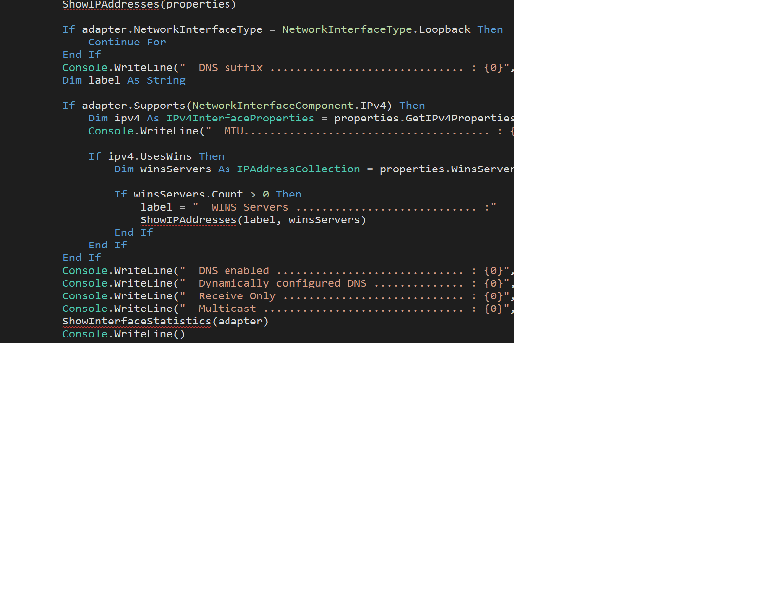
Public Shared Sub ShowNetworkInterfaces()
   Dim computerProperties As IPGlobalProperties = IPGlobalProperties.GetIPGlobalProperties()
   Dim nics As NetworkInterface() = NetworkInterface.GetAllNetworkInterfaces()
   Console.WriteLine("Interface information for {0}.{1}     ", computerProperties.HostName, computerProperties.DomainName)

   If nics Is Nothing OrElse nics.Length < 1 Then
       Console.WriteLine("  No network interfaces found.")
       Return
   End If

   Console.WriteLine("  Number of interfaces .................... : {0}", nics.Length)

   For Each adapter As NetworkInterface In nics
       Dim properties As IPInterfaceProperties = adapter.GetIPProperties()
       Console.WriteLine()
       Console.WriteLine(adapter.Description)
       Console.WriteLine(String.Empty.PadLeft(adapter.Description.Length, "="c))
       Console.WriteLine("  Interface type .......................... : {0}", adapter.NetworkInterfaceType)
       Console.WriteLine("  Physical Address ........................ : {0}", adapter.GetPhysicalAddress().ToString())
       Console.WriteLine("  Operational status ...................... : {0}", adapter.OperationalStatus)
       Dim versions As String = ""

       If adapter.Supports(NetworkInterfaceComponent.IPv4) Then
           versions = "IPv4"
       End If

       If adapter.Supports(NetworkInterfaceComponent.IPv6) Then

           If versions.Length > 0 Then
               versions += " "
           End If

           versions += "IPv6"
       End If

       Console.WriteLine("  IP version .............................. : {0}", versions)
       ShowIPAddresses(properties)

       If adapter.NetworkInterfaceType = NetworkInterfaceType.Loopback Then
           Continue For
       End If

       Console.WriteLine("  DNS suffix .............................. : {0}", properties.DnsSuffix)
       Dim label As String

       If adapter.Supports(NetworkInterfaceComponent.IPv4) Then
           Dim ipv4 As IPv4InterfaceProperties = properties.GetIPv4Properties()
           Console.WriteLine("  MTU...................................... : {0}", ipv4.Mtu)

           If ipv4.UsesWins Then
               Dim winsServers As IPAddressCollection = properties.WinsServersAddresses

               If winsServers.Count > 0 Then
                   label = "  WINS Servers ............................ :"
                   ShowIPAddresses(label, winsServers)
               End If
           End If
       End If

       Console.WriteLine("  DNS enabled ............................. : {0}", properties.IsDnsEnabled)
       Console.WriteLine("  Dynamically configured DNS .............. : {0}", properties.IsDynamicDnsEnabled)
       Console.WriteLine("  Receive Only ............................ : {0}", adapter.IsReceiveOnly)
       Console.WriteLine("  Multicast ............................... : {0}", adapter.SupportsMulticast)
       ShowInterfaceStatistics(adapter)
       Console.WriteLine()
   Next
End Sub

NetworkInterface Class
الرد }}}
تم الشكر بواسطة:
#6
بسم الله الرحمن الرحيم

الأخ الفاضل و المحترم ابو محمد
تقبل منى التحية و التقدير لجهدك و اهتمامك

لكن يا أخى الفاضل الكود الأول لا يعمل .. و الثانى لا يعمل  .. و المكتبة المذكورة لا وجود لها على شبكة الانترنت فى العالم كله


!!!!!!!!!!!!!!!!!!!!!!!!!!!!!!!!!!!!!!!!!!!!!!!!!!!!!!!!!!!!!!!!!!!!!

قبل اى شئ أنا بشكرك على جهدك و وقتك
لكن للأسف انا كرهت الموضوع كره التحريم .. بسبب جهد ووقت ضائع و غضب و انفعال من أكواد لا تعمل !!!!!!!!
أعلم أنك قد حاولت جاهدا تقديم المساعدة ..لكن للاسف كلها أكواد واهية لا تعمل و عاطبة !!
شاكر لك لجهودك
تقبل خالص التحية
الرد }}}
تم الشكر بواسطة:
#7
لا تيأس احيانا ابقى ابحث عن الحل لعدة ايام

المشكلة لا علم لي بواجهة الشبكات او ما المطلوب

هذا الكود شغال وانا جربته بنفسي
ولا يحتاج الى اي مكتبات

كود :
Dim interfaceb As NetworkInterface

For Each interfaceb In NetworkInterface.GetAllNetworkInterfaces()

    ' Print the interface name and InterfaceType.
    Label1.Text = interfaceb.Name & " " & interfaceb.NetworkInterfaceType

Next

يمكن تجزئة المطلوب الى خطوات قبل كل شئ جرب هذه الجزئية فقط عندك

وطبعا لا تنسة استيراد مجال الاسماء المطلوب فوق

بعد ان تشتغل هذه الجزئية واكيد سوف تشتغل راجع اخر كلاسس وانظر كيف تصل الى ما تريد على سبيل المثال

كود :
Label1.Text = interfaceb.GetPhysicalAddress.ToString

عن طريق المتغير

كود :
Dim interfaceb As NetworkInterface


يمكنك الوصول الى كل شئ
الرد }}}
تم الشكر بواسطة:


المواضيع المحتمل أن تكون متشابهة .
الموضوع : الكاتب الردود : المشاهدات : آخر رد
  [VB.NET] عرض اكسيل علىDGVتعمل على بعض الأجهزة وبعضها لا Ragi 7 141 19-12-25, 03:21 PM
آخر رد: أبو خالد الشكري
  تحميل جميع الماسحات الضوئية المتصلة بالجهاز في كومبوبوكس جيولوجي مبتدئ 2 577 22-02-24, 07:10 PM
آخر رد: جيولوجي مبتدئ
  [VB.NET] محتاج كود يعرض جدول من قاعد بيانات اكسس في كومبوكس mac9 2 716 15-03-23, 09:00 PM
آخر رد: mac9
  لماذا لا يعرض السجل المكرر atefkhalf2004 9 2,261 11-01-21, 02:03 PM
آخر رد: atefkhalf2004
  برنامج ربط الأجهزة بدون الحاجة لسلك LAN YousefOkasha 0 1,817 21-06-18, 02:56 PM
آخر رد: YousefOkasha
  combobox لا يعرض الداتا عند عمل select تناسيم 1 1,635 05-04-18, 02:52 PM
آخر رد: عبدالله الدوسري
Lightbulb [سؤال] فحص عدد الأجهزة المتصلة بالراوتر SPY.KILLER.2010 1 1,431 27-10-17, 02:19 AM
آخر رد: SPY.KILLER.2010
  [VB.NET] ربط سطر من datagridview بفورم اخر يعرض معلومات مخزنة subhialjzazy 4 2,948 19-01-17, 09:49 PM
آخر رد: ahmed.nabil
  طريقة جعل مشروعي يعمل على جميع الأجهزة sari 1 1,778 19-08-16, 01:40 AM
آخر رد: أسامة السالمي
  الملفات على الأجهزة الأخرى Anas gafer 4 2,064 01-08-16, 10:59 AM
آخر رد: أبوبكر سويدان

التنقل السريع :


يقوم بقرائة الموضوع: